You do not need an elaborate camera rig. Start with a secure place for your phone and a record button you can reach, then add a gimbal when you want smoother handheld movement.
Start with the simple basics.
These solve the first two sideline problems: where to put the phone and how to press record without touching it.
Baseball fence setup
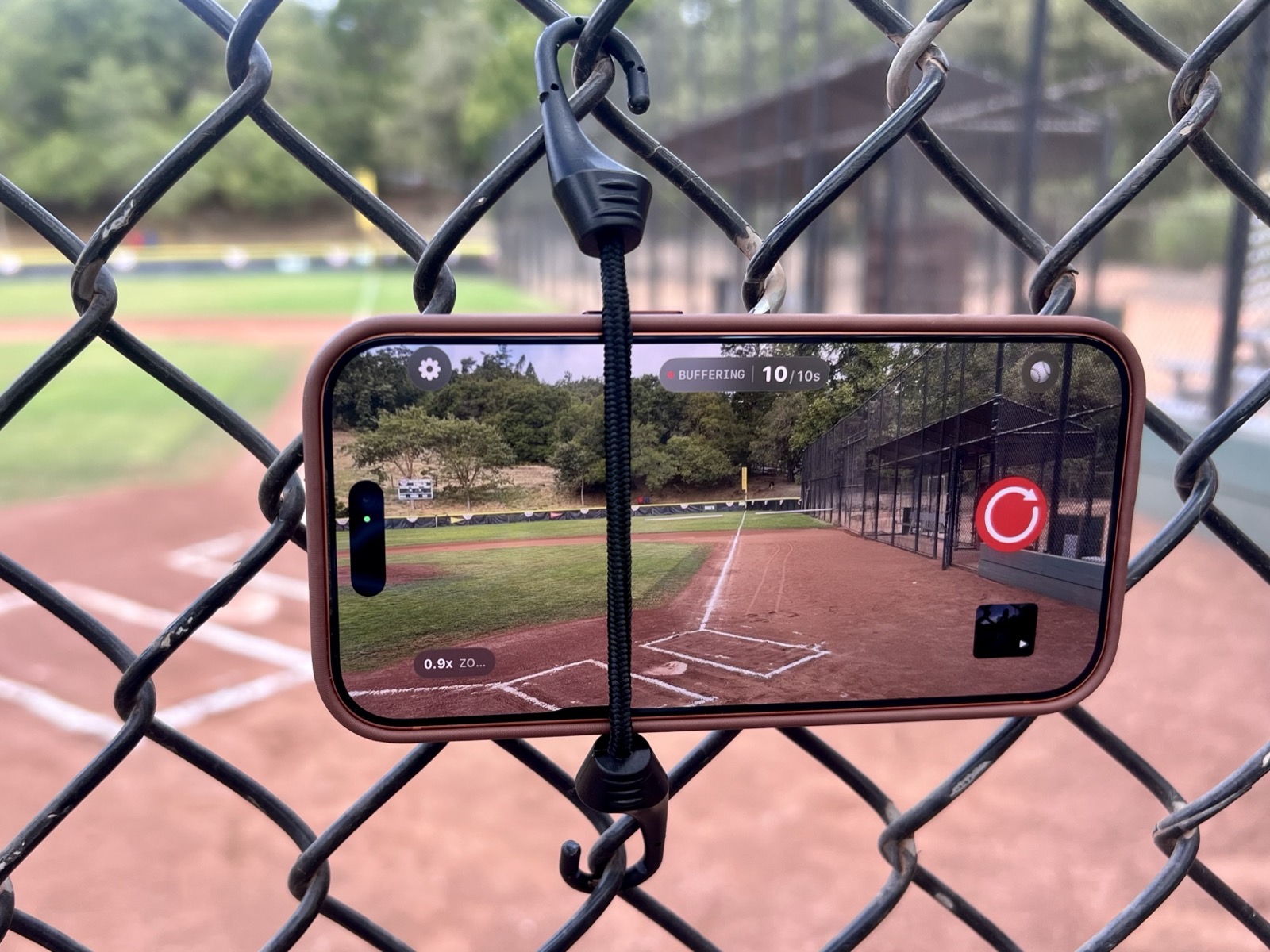
Secure the phone with a short bungee.
A short elastic bungee, about two inches with small hooks, can hold a securely cased phone or phone mount against a chain-link fence. Position the camera lens through an opening so the fence stays out of the picture.
Test the setup before warmups. Make sure the phone cannot slip, pad any contact points, keep hooks away from players and spectators, and follow the field’s mounting rules.
A simple fence setup keeps the lens through the chain link while Sideline Save stays easy to start and stop during the game.Hands-free record button
Keep a Bluetooth shutter in your hand.
Small iOS-compatible Bluetooth shutter remotes pair with your iPhone and act like a camera hardware button. With Sideline Save open on the camera, press once to start recording and again to stop—useful when the phone is on a tripod or attached to a fence.
Compatibility varies. Hardware capture requires iOS 17.2 or later. Pair and test the remote with Sideline Save before the game, and keep the phone screen awake with the app in front.
Step up to more flexible gear.
These options cost more, but give you greater control over your camera position or smoother movement while you follow the action.
Adjustable post mount
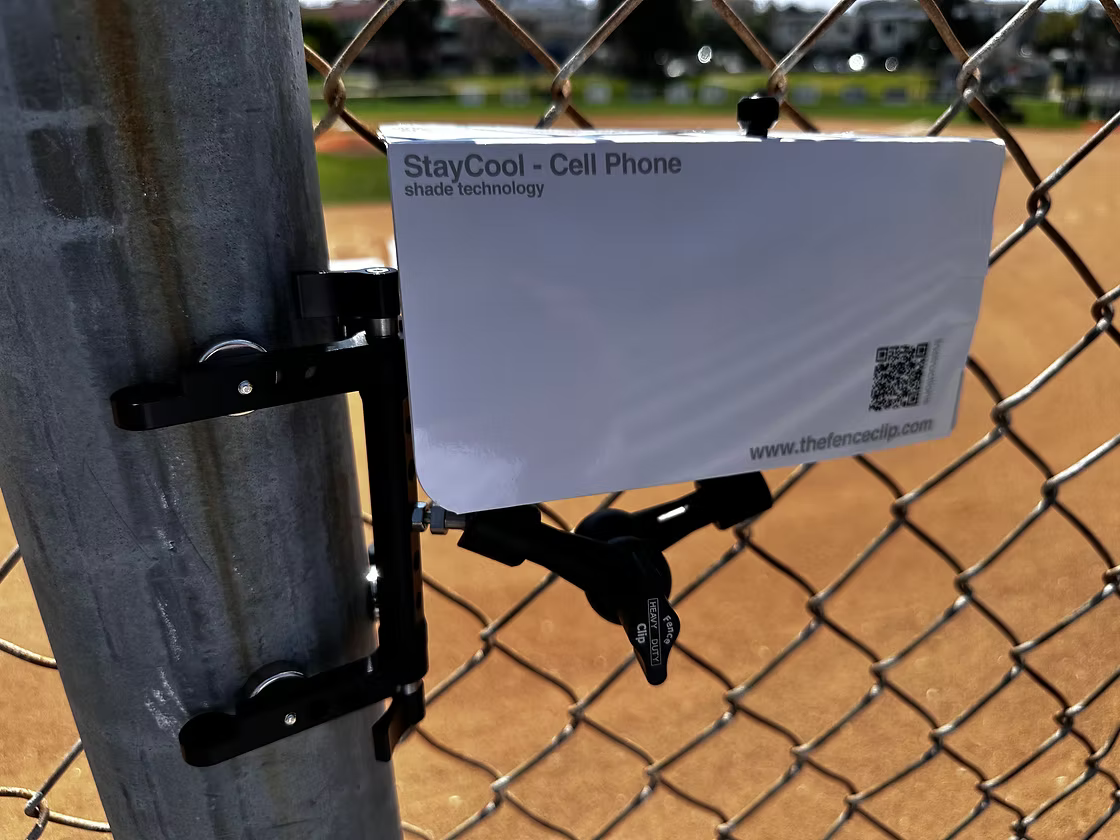
For a steel backstop post, consider the FenceClip Post Mount.
This compact, magnetic phone mount is made to attach to a steel backstop post. Its positioning arm makes it easier to angle the camera through a fence opening, then remove the setup quickly when the game is over.
Retail pricing and availability can change. Confirm that your iPhone and case fit DJI’s current compatibility requirements before purchasing. DJI and Osmo are trademarks of DJI.
Three-axis stabilization for smoother handheld movement and panning.
Unlimited 360° pan rotation for following action across a wide playing area.
Built-in tripod and extension rod for flexible setup and framing away from the sideline.
Apple DockKit support for system tracking in compatible iPhone apps. Sideline Save includes experimental DockKit Gimbal Tracking.
About 10 hours of rated operating time in DJI’s stationary, balanced test; tracking, lighting, and phone charging reduce it.
Better results on game day.
A gimbal helps, but good sports video still starts with positioning and deliberate camera movement.
Balance before powering on.Center the phone in the clamp and make sure it is secure before the game starts.
Start wider than you think.A little extra space around the player makes fast movement easier to follow without losing the play.
Pan with the action, not every fake.Use smooth body turns and let the gimbal soften your movement instead of chasing every small change.
Practice the controls first.Learn the follow mode, recenter action, and phone mounting at home so game time stays focused on the sport.
Charge both devices.Long events use the phone and gimbal batteries. Bring a battery pack if you expect a full day at the field.
Keep your phone cooler in the sun.
Direct sun can heat a phone even when it is not recording. Shade it whenever you can, and give it a break between plays on especially hot days.
Phone shade
A simple paper shade for the fence.
This lightweight paper shade sits above the phone to block direct sun while leaving the camera exposed. Angle it so the lens and microphones stay clear, and make sure the shade does not trap heat against the phone.
A phone cooling puck can be another option for a long, hot game. Test it with your phone and mount before relying on it, follow its instructions, and stop if you see moisture or condensation. Keep the camera and any ventilation openings clear.
Pair active cooling with shade and breaks. A puck cannot make it safe to keep recording when the phone shows a temperature warning.
 Sideline Save