Frame the at-bat
Keep Sideline Save open and the pitcher, batter, and likely play area in view.
 Sideline Save
Youth baseball & softball video for parents
Keep Sideline Save open and frame the at-bat. When the batter connects, tap Record. The finished clip can still include the pitch and swing, and it continues until you tap again.
Free to try with 15 saved videos · iPhone, iOS 17+ · No account or ads
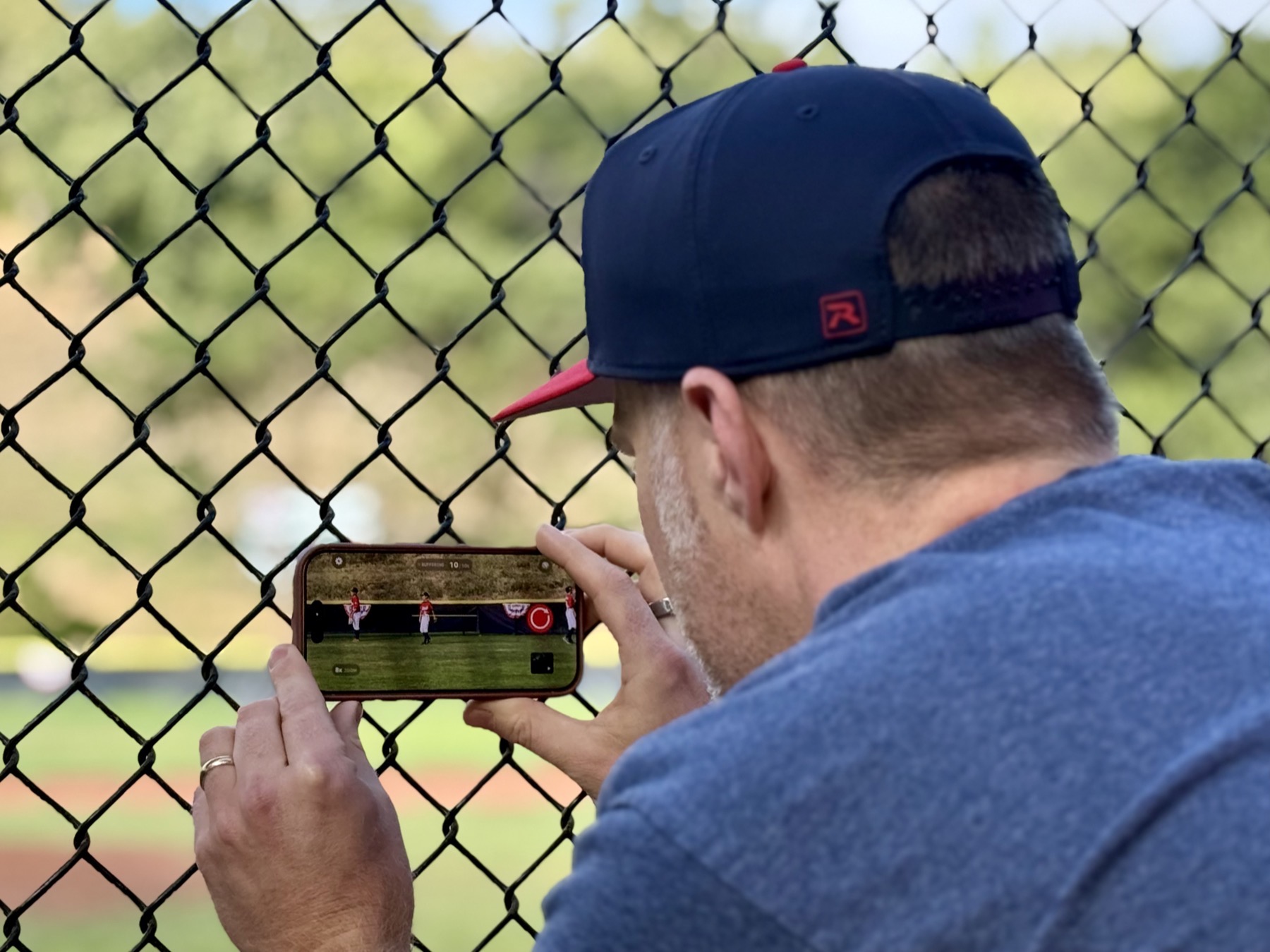
Press record after the play gets good, stop when it is over, and open Saved Videos later to find the highlight fast.
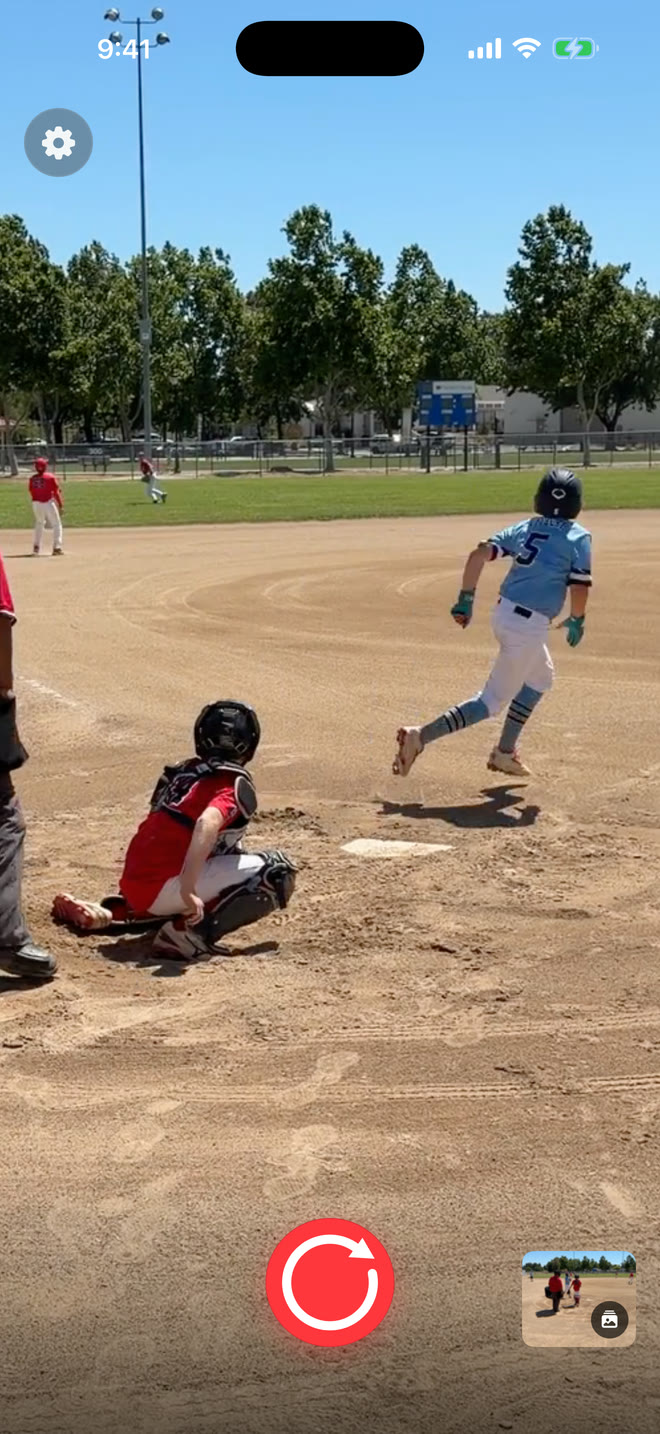
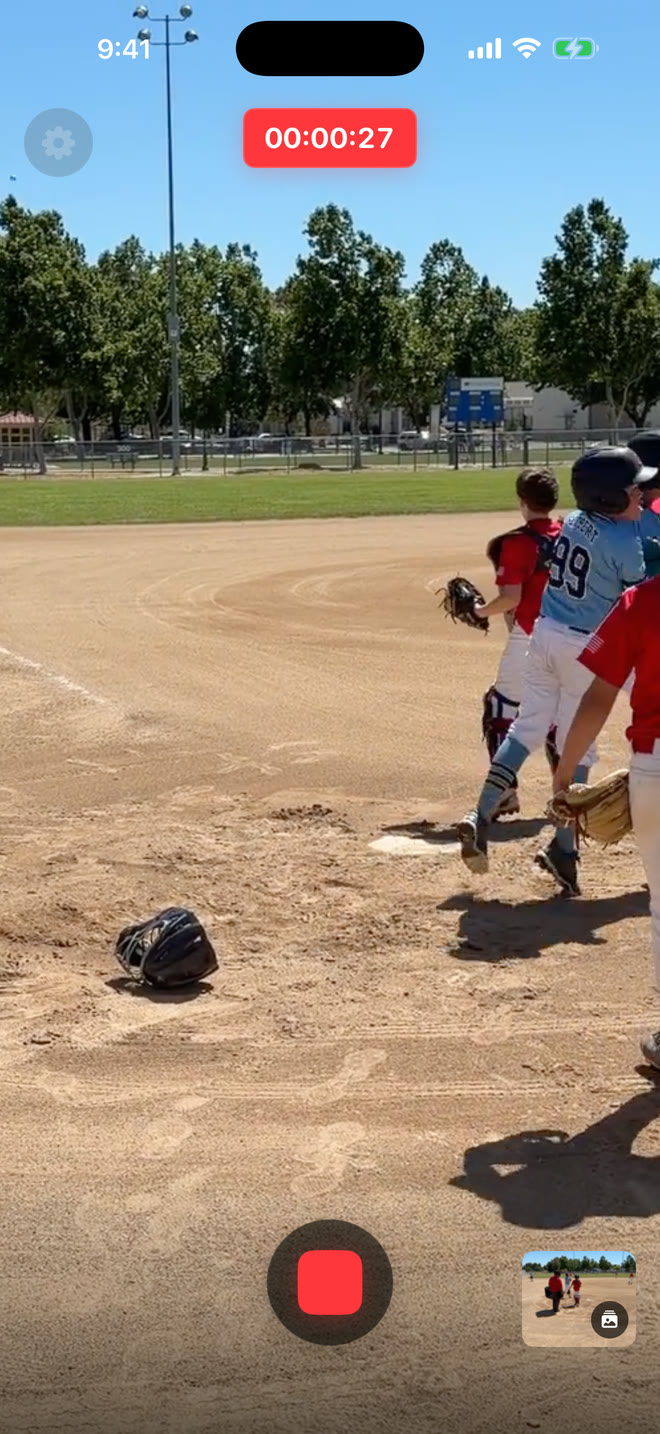
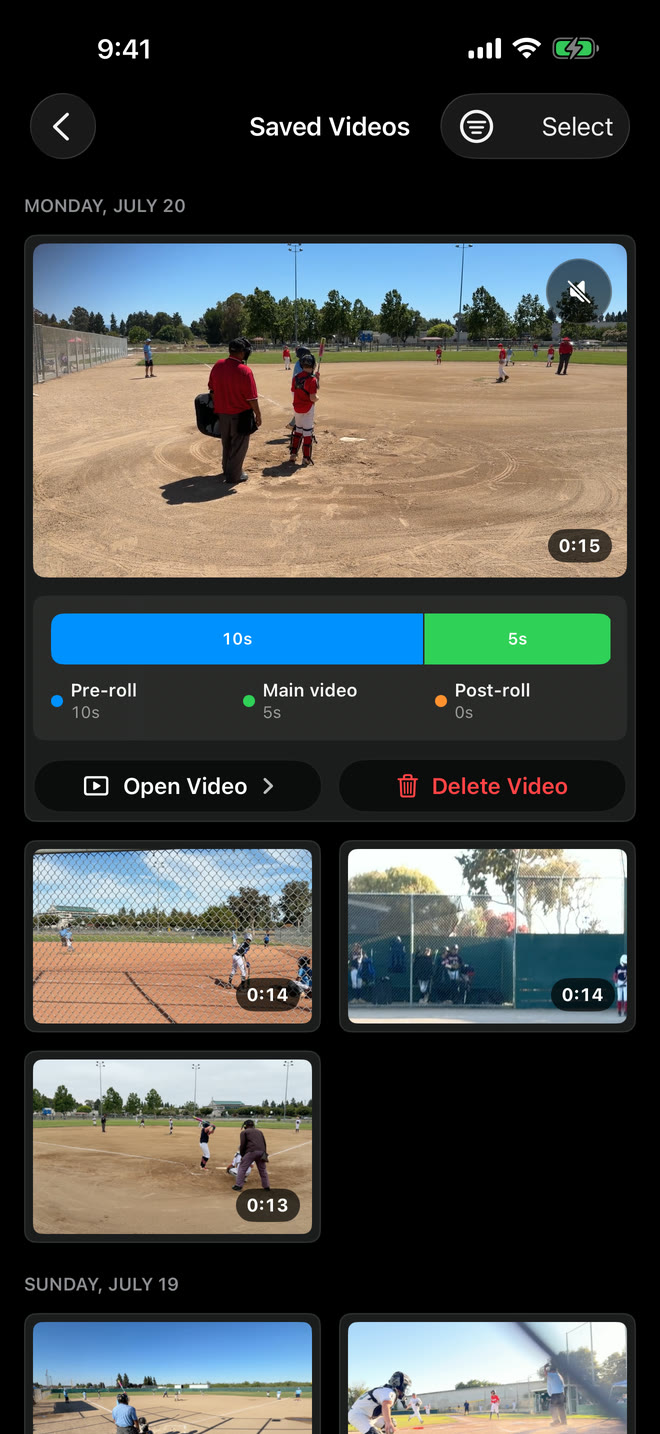
One at-bat, three actions
Keep Sideline Save open and the pitcher, batter, and likely play area in view.
The video starts with the recent action already held by Sideline Save, including the pitch and swing.
Keep the run, throw, slide, reaction, or celebration, then save the finished video to Photos.
The camera-roll problem
With the built-in Camera app, you have to decide before the pitch whether to record. That means saving strike after strike, foul ball after foul ball, and long videos where the play never develops.
Sideline Save lets you wait for the moment to prove it is worth keeping. When the batter connects, press record and the finished video can still include the pitch and swing. Keep recording through the run, throw, or celebration, then press stop.
Common questions
No. While the app is open, Sideline Save keeps only the previous 5, 10, or 20 seconds ready on your iPhone. A permanent video is created when you tap Record, continue through the play, and tap again to stop.
Yes, when the pitch and swing fall within the 5-, 10-, or 20-second window you selected and Sideline Save was open with the camera ready.
Yes. The Baseball preset works for softball too, with the same timing, framing, saving, and Photos-library workflow.
Sideline Save is free to download and try with up to 15 successfully saved videos. Sideline Save Pro unlocks unlimited saves through an annual subscription; the current price is shown in the App Store and in the app before purchase.
Sideline Save saves finished videos locally to your Photos library and organizes them in its Saved Videos view. It does not upload your sports footage to a Sideline Save account.
Free to try with 15 saved videos on iPhone. Sideline Save Pro unlocks unlimited saves.