 Sideline Save
A dash cam for youth sports
Keep the highlights. Skip the two-hour recording.
Watch the game and save only the moment that mattered. Sideline Save keeps up to 30 seconds ready, so after something great happens, tap Record and the app goes back in time to get the beginning of the play.

Try it free with 15 saved videos. Then just $9.99/year. No account. No ads.
-
1
Keep the camera where the play is.
Use a five dollar bungee cord to mount your iPhone to a fence, or hand-hold it from an approved spot. Mounting keeps your hands free; hand-holding gives you flexibility when mounting is not allowed.
-
2
Skip the storage and editing marathon.
A two-hour 4K/60 recording can use about 53 GBEstimate: 440 MB per minute for 4K/60 HEVC × 120 minutes = 52,800 MB, or about 53 GB. and take about 15 minutesEstimate for a focused highlight pass: about 10 minutes to skim at high speed, plus 5 minutes to select, trim, and export a few clips. to review and trim. Sideline Save saves you 98% of that storage and time.Illustrative estimate: about two minutes of highlights instead of 120 minutes of footage, and roughly 18 seconds of total tap-to-save interaction instead of a 15-minute editing pass. Actual savings vary.
-
3
Decide after it happens.
Sideline Save keeps a rolling window ready. Once you know the moment was special, tap Record to keep the lead-in, then tap again when the play is over.
Three simple steps
How to use Sideline Save
Keep the camera ready, tap after the play, and keep recording.
Step 1: Always be shooting
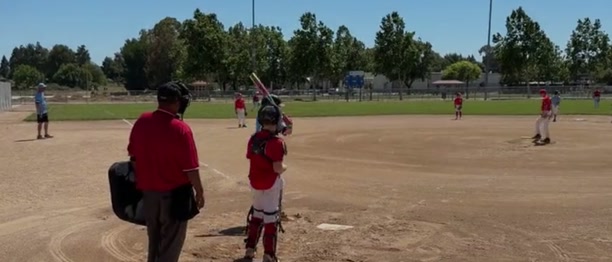
Sideline Save is always keeping the recent action ready. Keep the camera pointed at the player and the play on the field.

Step 2: Record after the play
When the play is over, tap the button once to record the moment.

Step 3: Continue recording as normal
Continue recording as normal. When the play is over, tap the same button again to stop and save the finished clip.
Quick answers
More about how Sideline Save works.
What sports does Sideline Save work with?
Every sport. Choose a built-in starting mode for Baseball, Basketball, Volleyball, Soccer, or Football, or use Custom for anything else. Baseball works well for softball.
How does retroactive recording work?
While Sideline Save is open, it keeps a short, temporary rolling buffer of the most recent camera footage. When you tap Record, the app preserves the video already in that buffer and continues recording. When you tap again to stop, it combines the footage from before and after your tap into one saved clip. The temporary buffer is continuously overwritten and is never saved as a full game.
Will Sideline Save kill my battery?
Sideline Save uses about the same amount of battery as the built-in Camera app. If you're just recording one player's at-bats, that's about 5% of your battery per game. Recording a whole 2-hour game takes about 50% of your battery. It really depends on how much time you leave the app open and recording.
For the best battery life, lower the screen brightness and shade the phone from direct sunlight.
Is the whole game being saved somewhere?
No. Like a dash cam or doorbell camera, Sideline Save keeps a temporary rolling window. Only the moments you choose are finished and saved to Photos; closing the app stops capture.
How does storage work?
Saved videos go into your Photos library, so Sideline Save does not keep a separate cloud copy. If you use iCloud Photos, Apple backs up and syncs those videos automatically through your normal Photos settings.
For an illustrative season, imagine 20 games with four at-bats per game and a 30-second saved clip for each at-bat. That is about 40 minutes of video—roughly 18 GB at the same 4K/60 estimate used above—instead of about 1.1 TB for recording all 20 two-hour games. That is roughly 1 TB saved. Actual storage depends on your capture quality, frame rate, clip length, and iCloud settings.
What happens after my 15th saved video?
After the 15 included saves, Sideline Save stops you from taking new saved videos until you unlock Sideline Save Pro. Your existing videos stay available in Sideline Save and Photos, so you can always view the highlights you already saved.
How does the video compare with GameChanger?
GameChanger’s full-event video is limited to 720p, which can look soft when you crop or zoom. Sideline Save records using your chosen iPhone camera quality, so it can preserve much more detail. GameChanger only provides a full-event replay when the event was live streamed, and non-staff viewers need Premium or a Premium Team Pass. Read GameChanger’s documentation.
Your footage never goes to a Sideline Save cloud.
Everything stays on your iPhone—Sideline Save never uploads your footage. There are no accounts, ads, or cross-app tracking.
Independent and personal
Built by a baseball dad with the same problem.
Sideline Save is a handcrafted app made by one person. I built it after getting tired of recording pitch after pitch at my son’s games, deleting nearly all of them, and still worrying that the next pitch would be the one I missed.
Read why I built Sideline Save